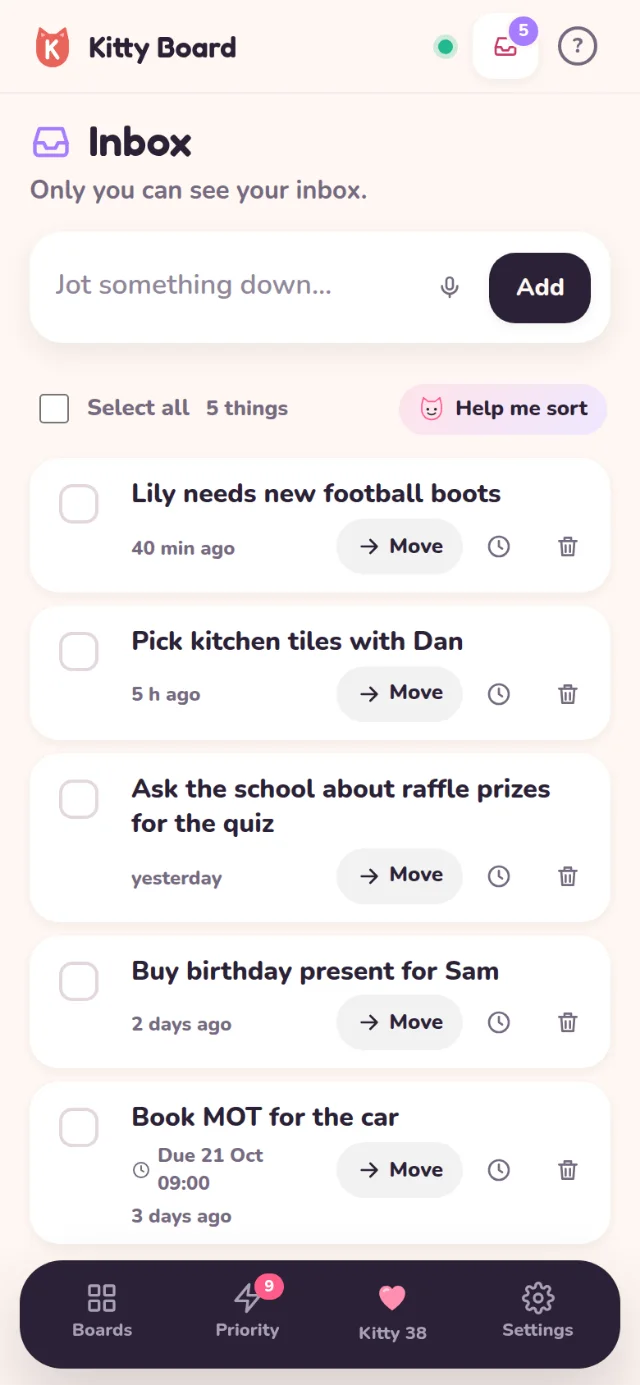
"Book MOT." "Buy a present for Sam." Some things pop into your head when you're nowhere near the right board. Your Inbox is a private place to jot them down in a second and sort them later.
Jot it down
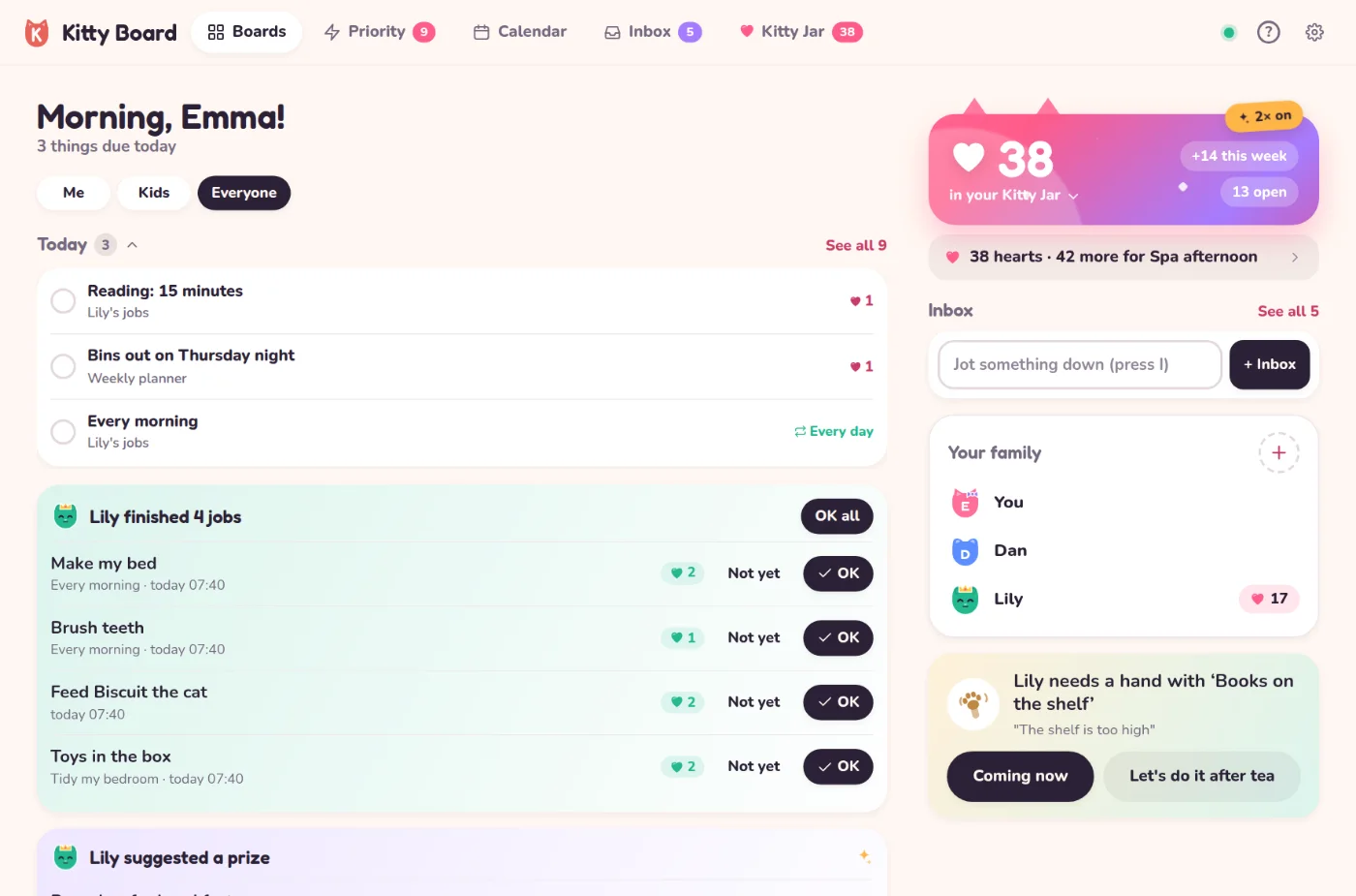
- On a phone: tap the tray at the top of the screen, next to ?. The number on it is how many things are waiting.
- On a computer or tablet: Inbox in the top bar. On a computer, press I anywhere to start typing straight away, or use + Inbox on your home.
- Type it in the big box and press Enter (or Add). Tap the microphone to say it instead.
Sort it
- Tap Move on a thing and pick a board and list. Next time, the picker starts on the board and list you used last.
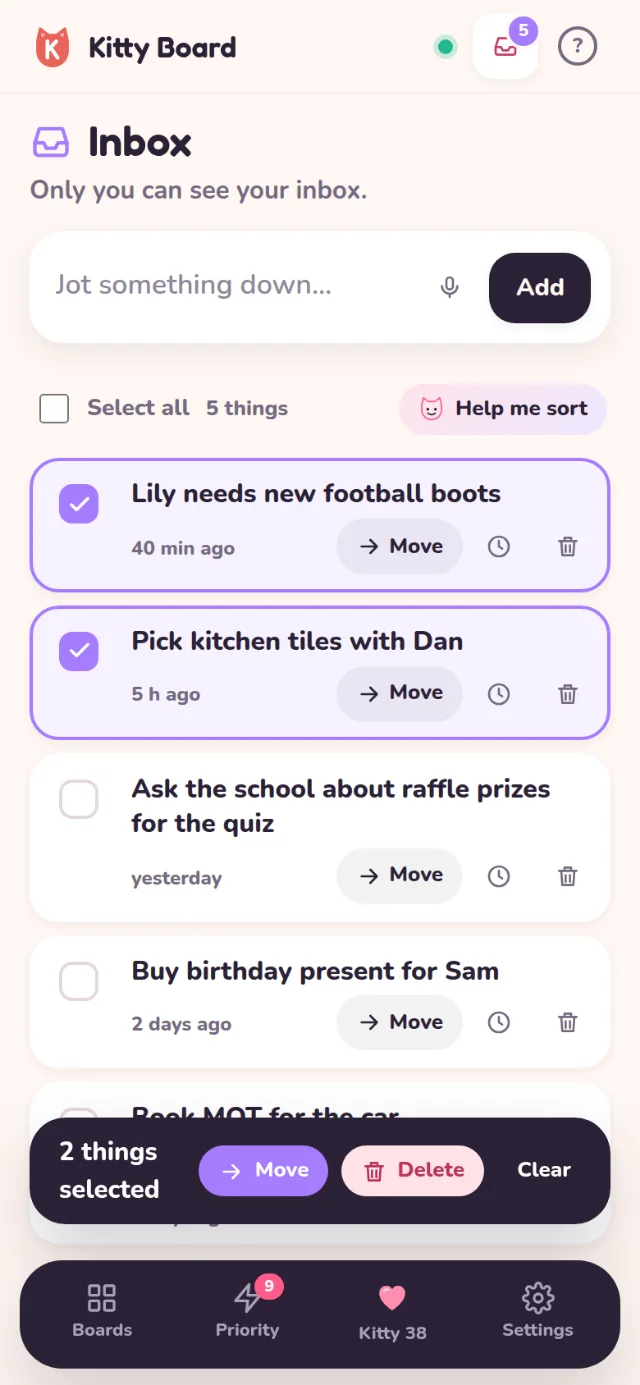
- Want several in the same place? Tick them (or Select all) and tap Move in the bar at the bottom. Delete works the same way.
- Know when it's due? Tap the clock to give it a date. The date goes with it onto the board.
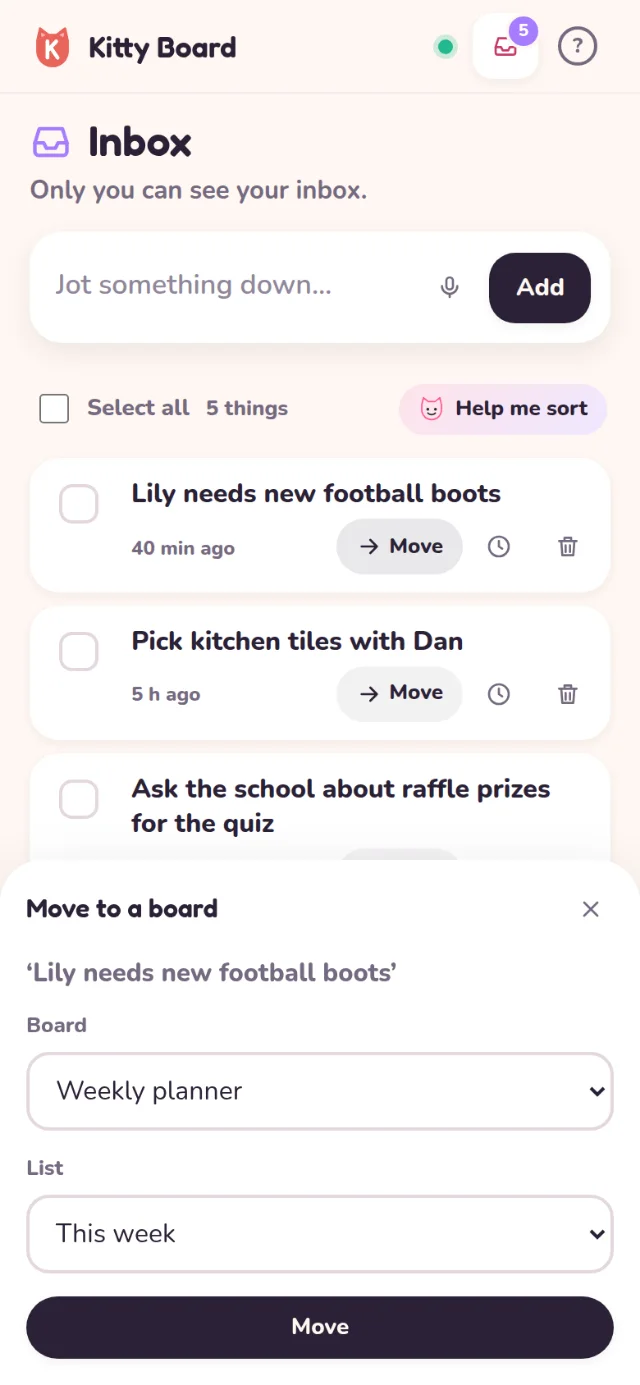
A thing you move becomes a normal card on that board, so everyone who shares the board sees it. Changed your mind? Tap Undo on the note that pops up.
Help me sort
On the Family plan, tap Help me sort and Help me suggests a board and list for each thing (or a new board when nothing fits), with a due date if the note says when. Every suggestion has a tick: untick any you don't want, then tap Move. Nothing moves until you say so. Tick a few things first to sort just those.
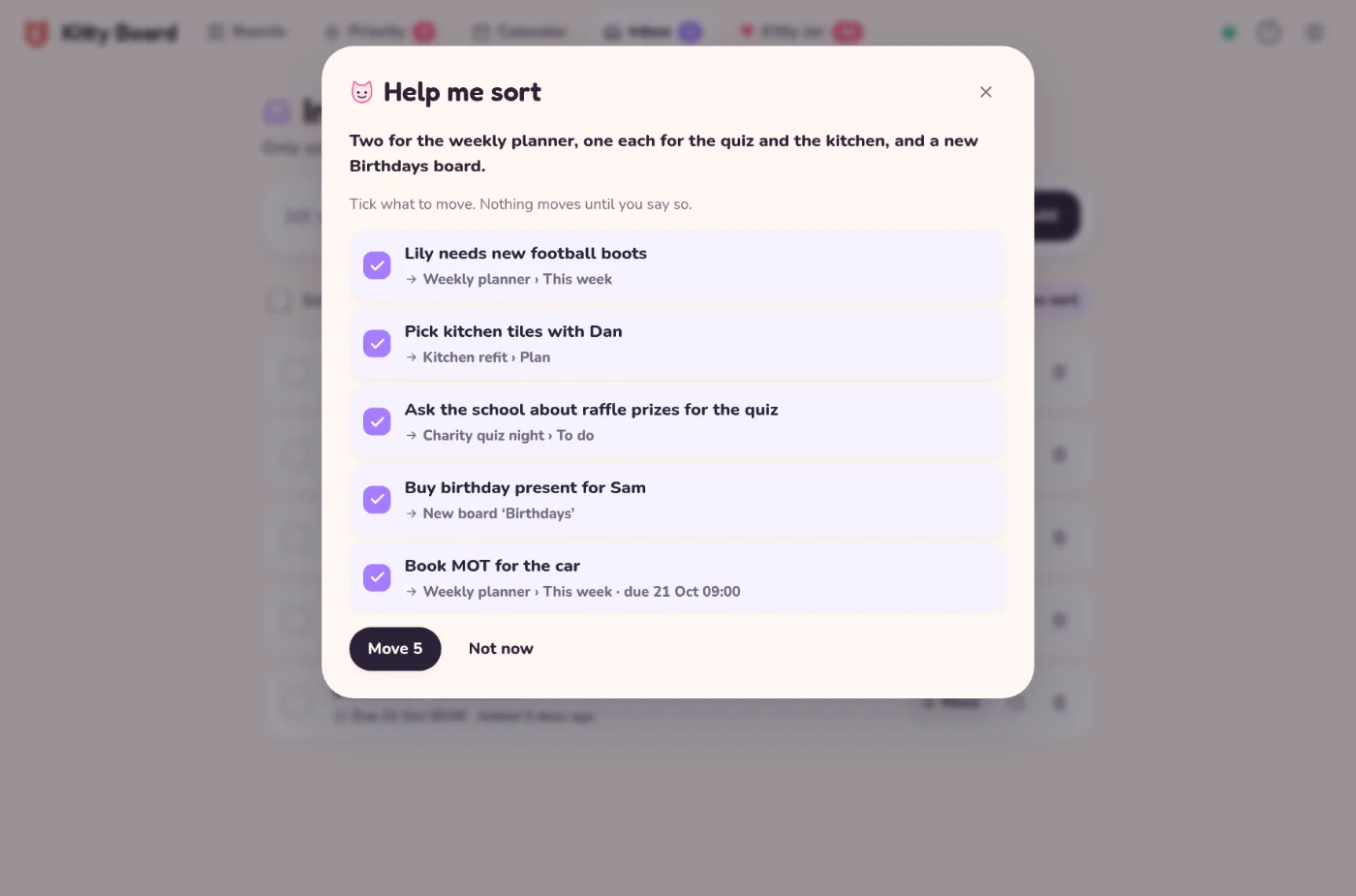
It uses one Help me request from your monthly allowance. On the free plan the button has a small lock: tap it to see what the Family plan adds.
Good to know
- Your Inbox is just for you. Not your partner, not anyone else in your family. To share something, move it onto a board you share.
- Your Inbox doesn't count towards the free plan's 3 boards.
- Help me sort sends the text of your inbox and the names of your boards and lists to Claude, from Anthropic. See privacy.
- Children don't have an inbox yet.