Children are private. A grown-up in your family only sees a child if that child's guardian says so. You choose, one grown-up at a time.
Three choices for each grown-up
- Can't see
- Your child doesn't appear for them anywhere. Everyone starts here, apart from the child's guardians.
- Can see
- They see your child's boards (to look at, unless your child shares one for editing), Kitty Jar, prizes and progress. They can cheer finished jobs. They can't say OK to hearts, change the Kitty Jar, set a PIN or set up a device.
- Guardian
- Everything: says OK to hearts, changes the Kitty Jar, sets the PIN and devices, and chooses who can see your child.
Change who can see your child
- Open Settings, then Family and friends.
- Tap Manage next to your child's name. (Only a guardian has this button.)
- Next to each grown-up's name, choose Can't see, Can see or Guardian.
A child always keeps at least one guardian, so you can't remove the last one. It's handy in blended families: a step-parent can cheer and see the Kitty Jar without being asked to say OK to every job.
What your child sees
Your child sees only:
- their guardians,
- grown-ups who Can see them (so they know who can see their Kitty Jar),
- brothers and sisters who share a guardian with them.
They can share their boards with their guardians and grown-ups who can see them. Their rewards stay their own: they never see anyone else's Kitty Jar or prizes. In their Settings, My people lists everyone they can see, with "Looks after you", "Can see your Kitty Jar" or "In your family".
Someone missing from your child's list? They need Can see or Guardian for that child. Grown-ups in another household (separated parents in two Kitty Board families) can't be linked yet.
A calmer home: Show on my home
In a big family your home screen can get busy. In Settings, Family and friends, Show on my home has a switch for each person. Your own children and your partner start switched on; children you can only see start switched off.
On your home, the Me, Kids and Everyone chips choose whose boards you see right now:
- Me: your own boards, and grown-ups' boards you can edit.
- Kids: the boards of the children shown on your home.
- Everyone: both, plus the other grown-ups' boards and friends' boards shared with you.
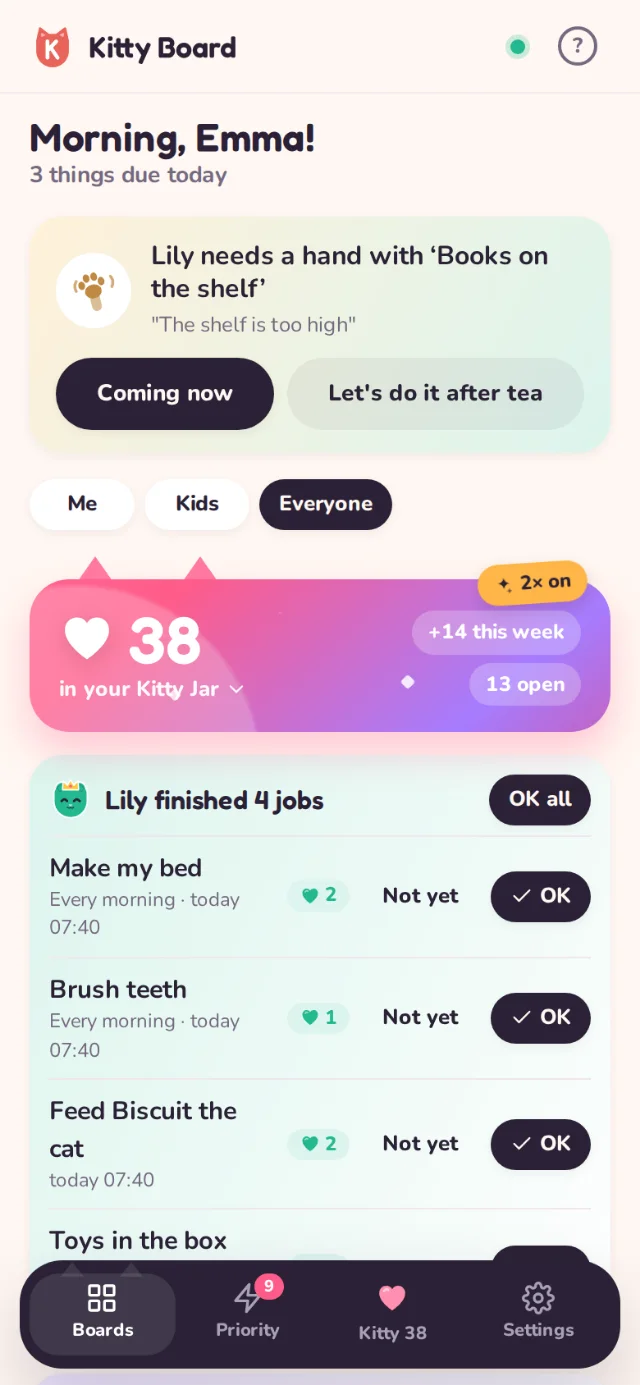
These only change what your home lists, never what you're allowed to see: the Kitty Jar page and Priority still show everyone. Your choices follow you to every device.