The friendly planner for real life. Put hearts on the jobs that matter, and they fill your Kitty Jar like a jar of spare pennies. Then spend your kitty on a takeaway night, a lie-in or a sleepover.
Free for you and one family member. Family plan from £3.99 a month, children free.
+3 in the kitty Dan nudged you Takeaway night unlocked
How it works
Three steps. No spreadsheets, no nagging, and the rewards are real.
1
Make a board
The week, the school fair, the kitchen refit. Lists and cards keep every step in one place, and Help me can set it up for you.
2
Put hearts on jobs
One to five hearts on the jobs that matter. Tick one off and the hearts drop into your Kitty Jar. Everyone chips in.
3
Spend your kitty on real treats
Save up for prizes you choose together: pick the film, a lie-in, a night off cooking. Atoms, not pixels.
Everything a busy home needs, nothing it doesn't
As simple as a pinboard, as cheerful as a sticker chart, and it works on every phone and laptop in the house.
Boards and cards
Boards for real projects
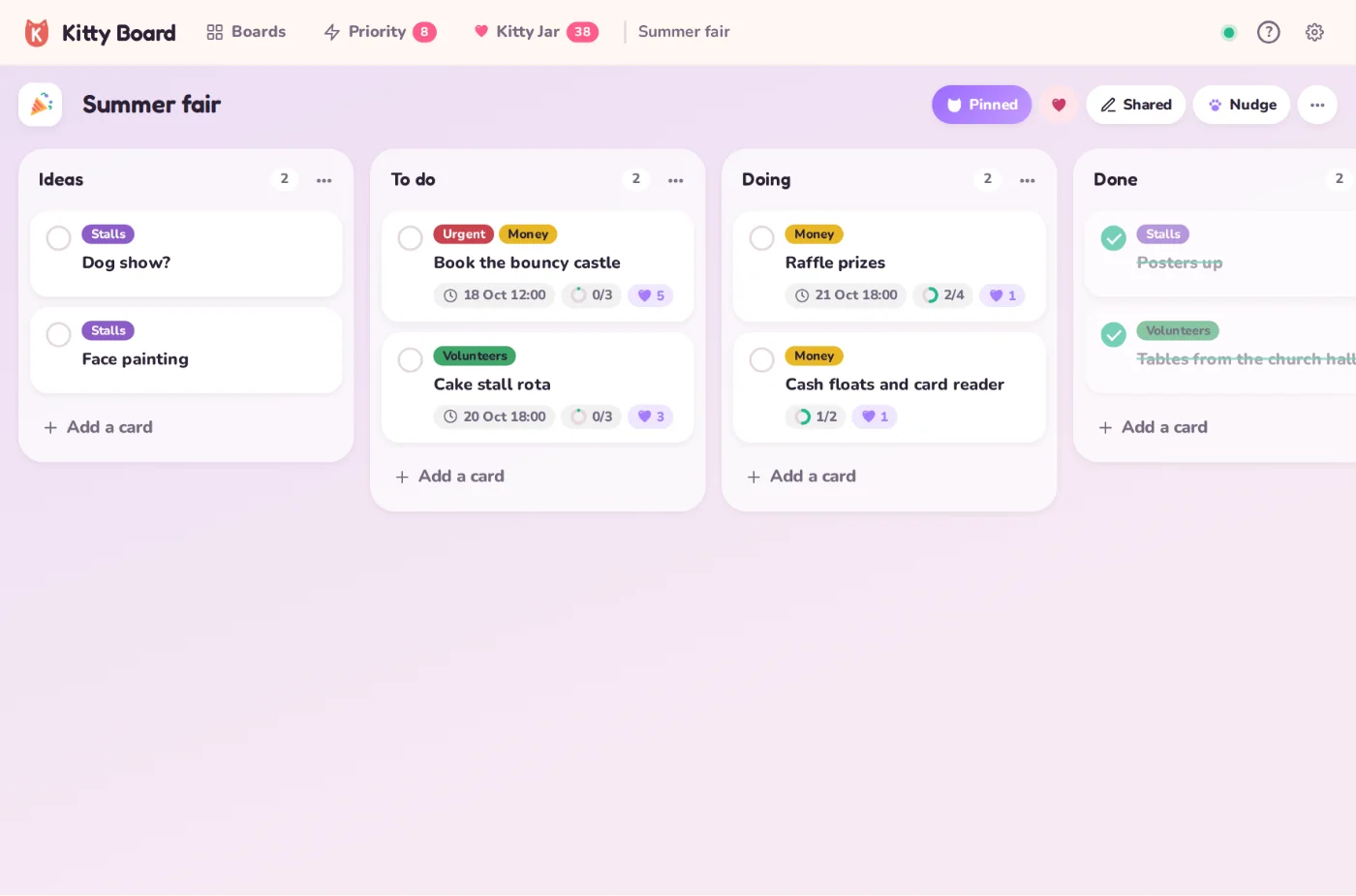
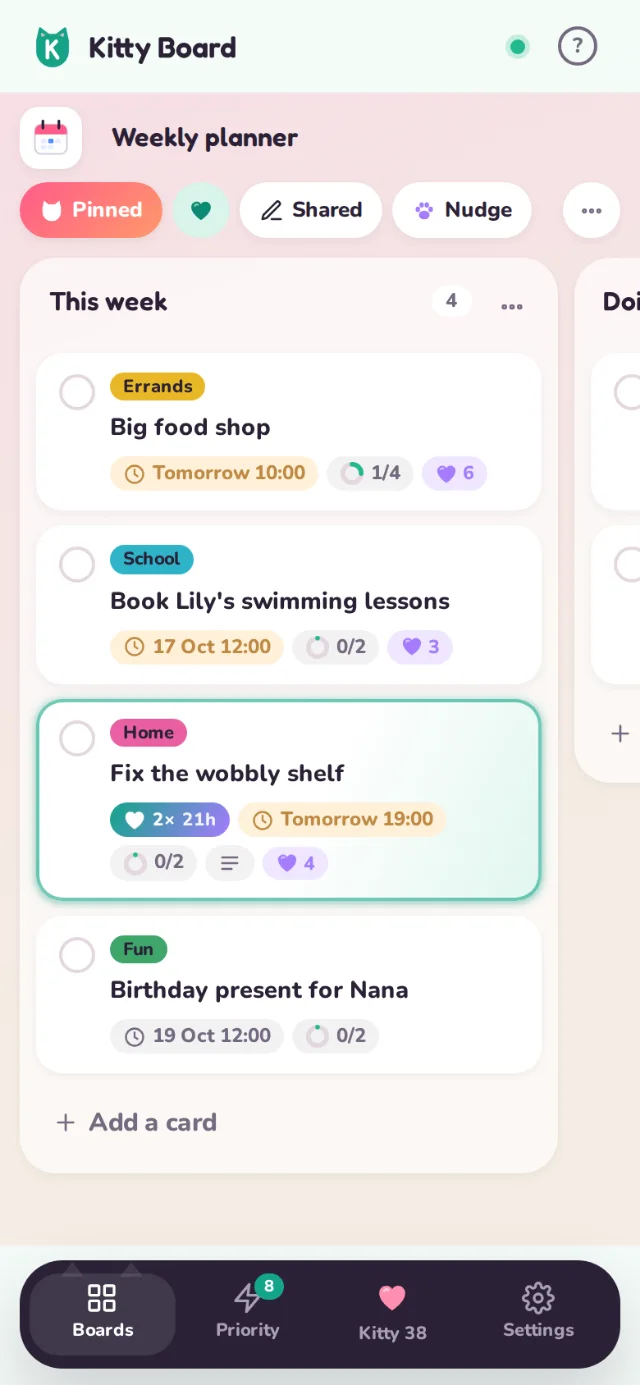
A board is one project: the weekly planner, the summer fair, the house move. Lists run across it and cards sit in the lists. Drag cards along as things get going.
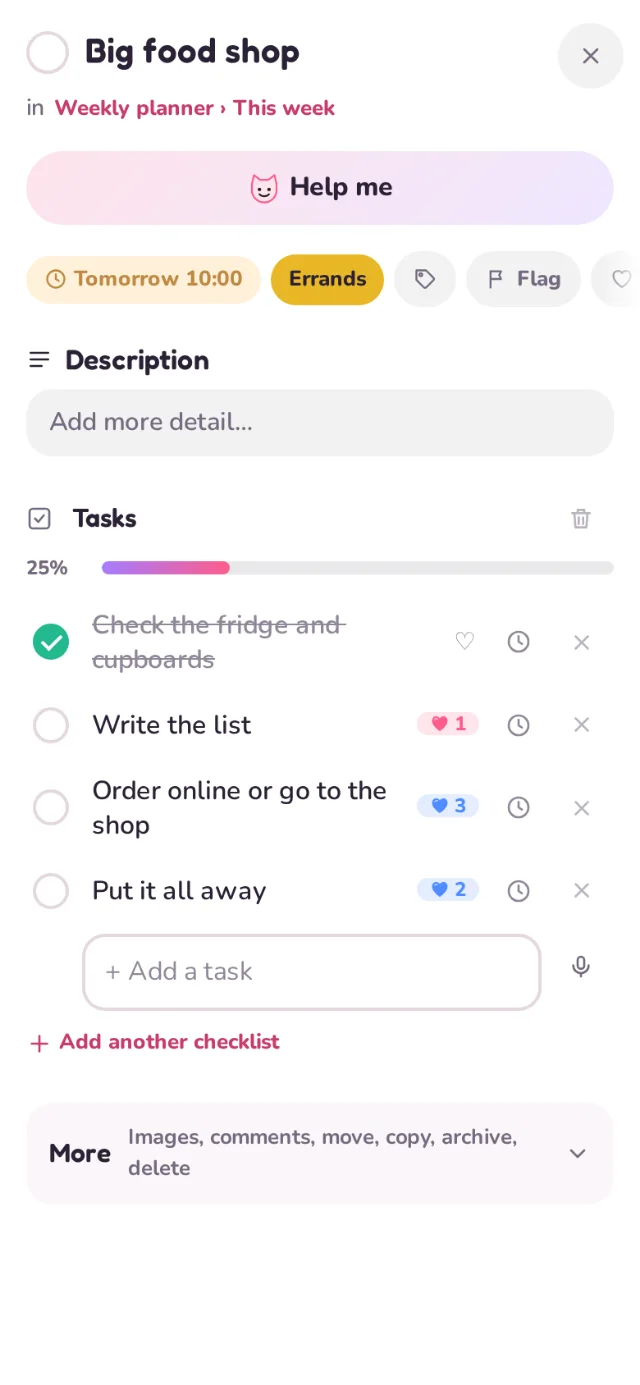
Tasks, due dates, categories, notes and photos on every card
Pin your favourite boards to the top
Overdue jobs turn red, so nothing slips
Hearts and the Kitty Jar
Every job chips in to the kitty
Give any task or card one to five hearts and say who they're for. Finish the job and the hearts drop into that person's Kitty Jar. It fills a little at a time, like a jar of spare pennies on the kitchen shelf.
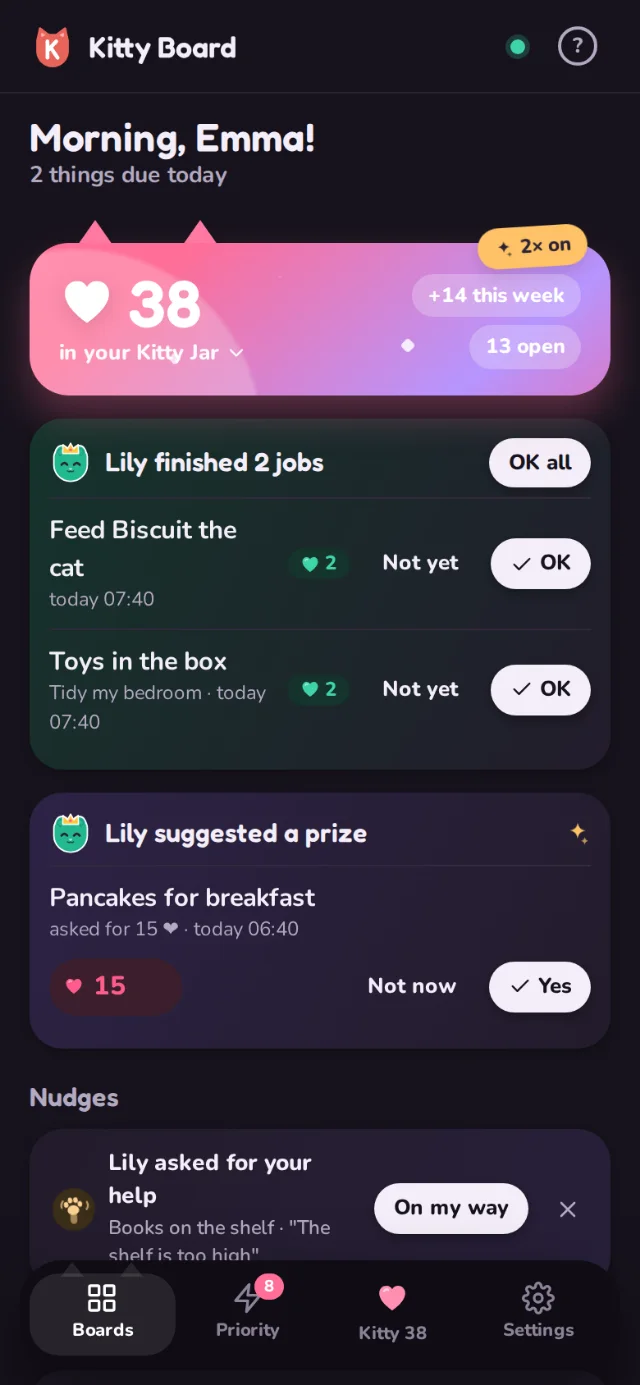
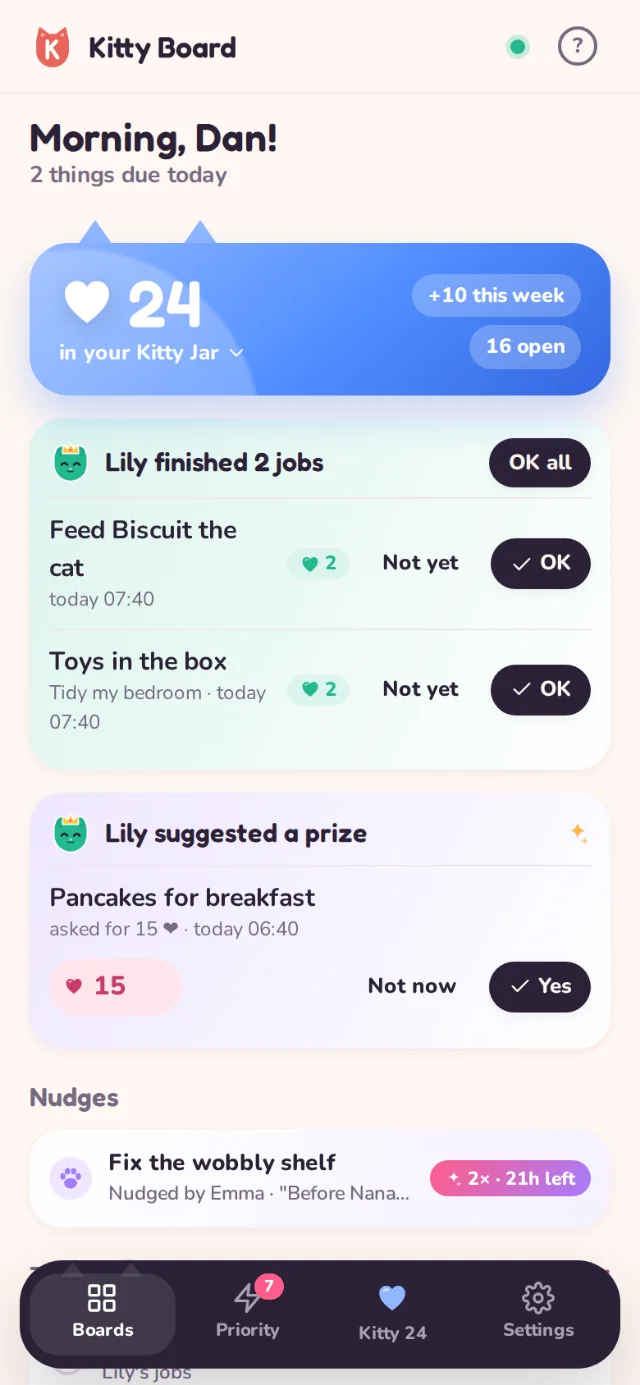
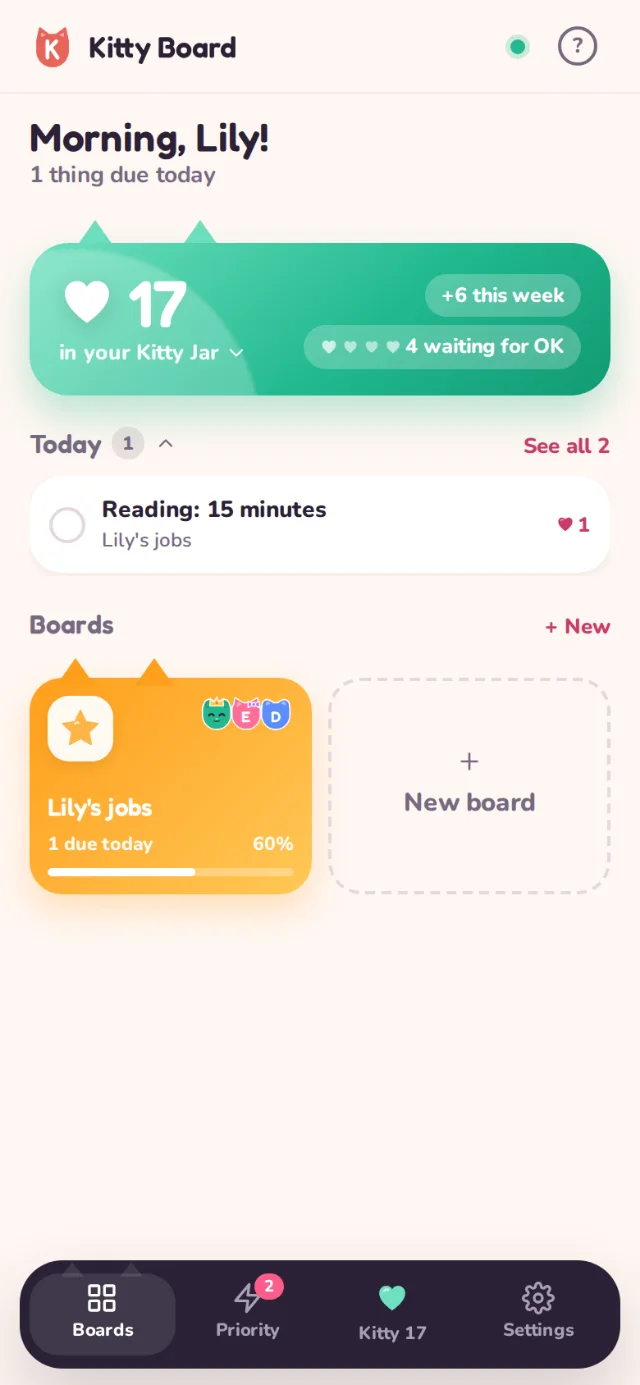
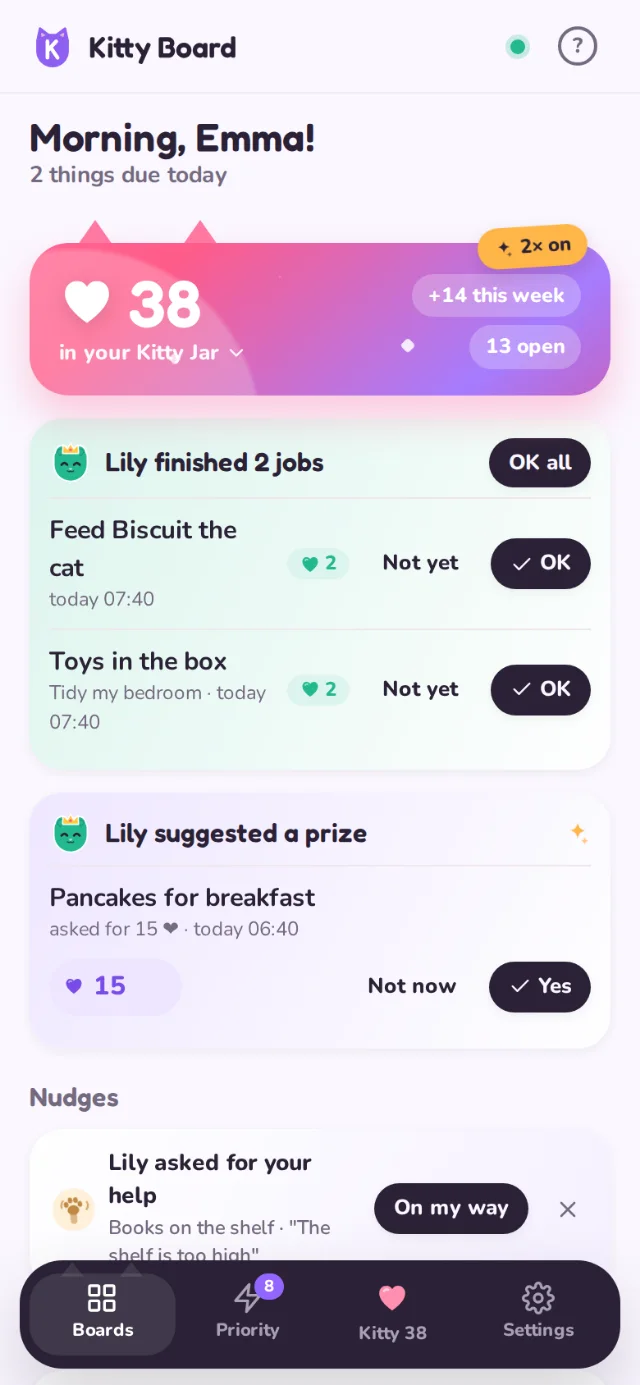
Your Kitty Jar sits on your home screen, with what came in this week
Every heart in and out of the kitty is kept in your history
Turn rewards on for the boards where they help
Prizes
Spend your kitty on real prizes
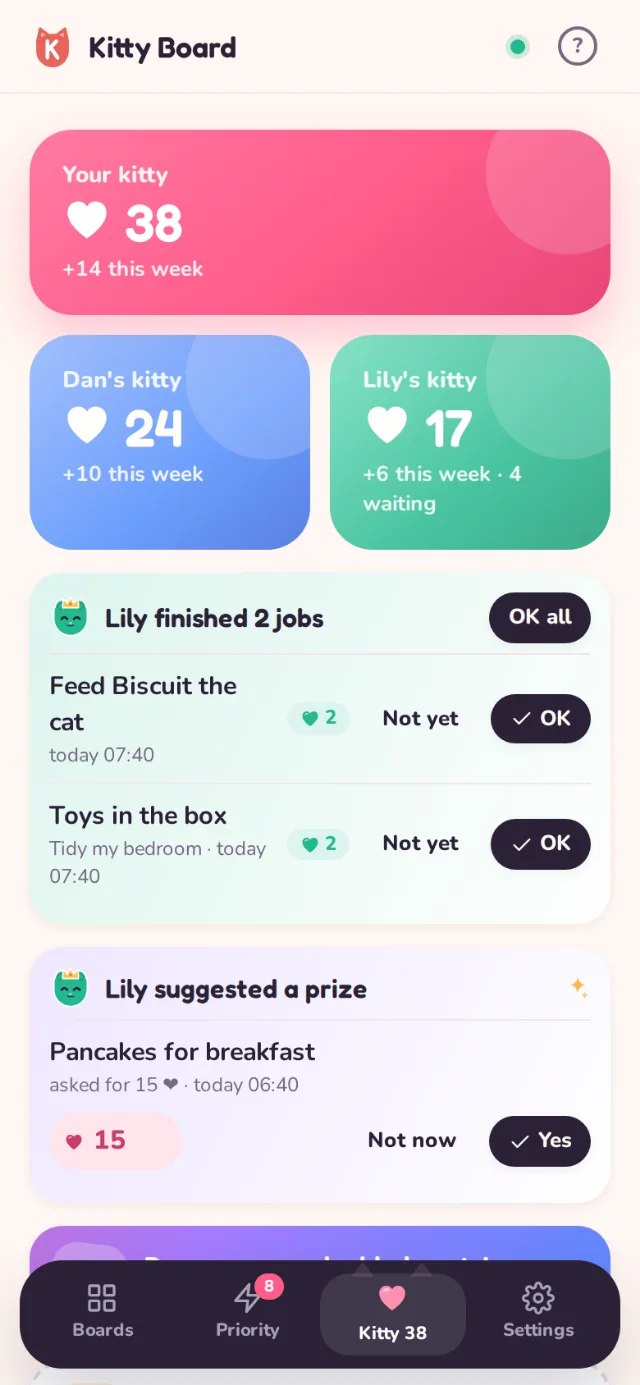
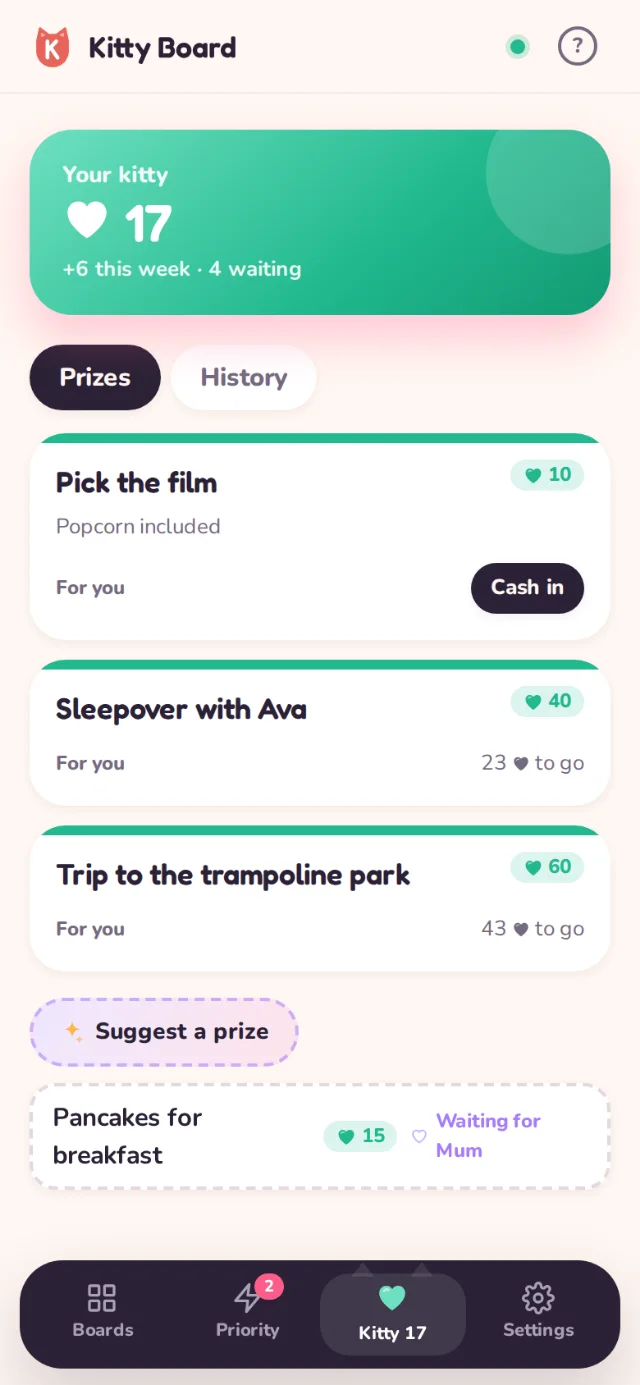
Prizes are real-life treats to save up for. Add them in the Kitty tab, set the price in hearts, and cash one in when the kitty is full enough. A takeaway night tastes better when everyone chipped in.
Shared grown-up prizes, or prizes just for one child
Children can suggest prizes; you say yes, not now, or change the price
See at a glance how many hearts are still to go
Partners and nudges
Share the load, without the nagging
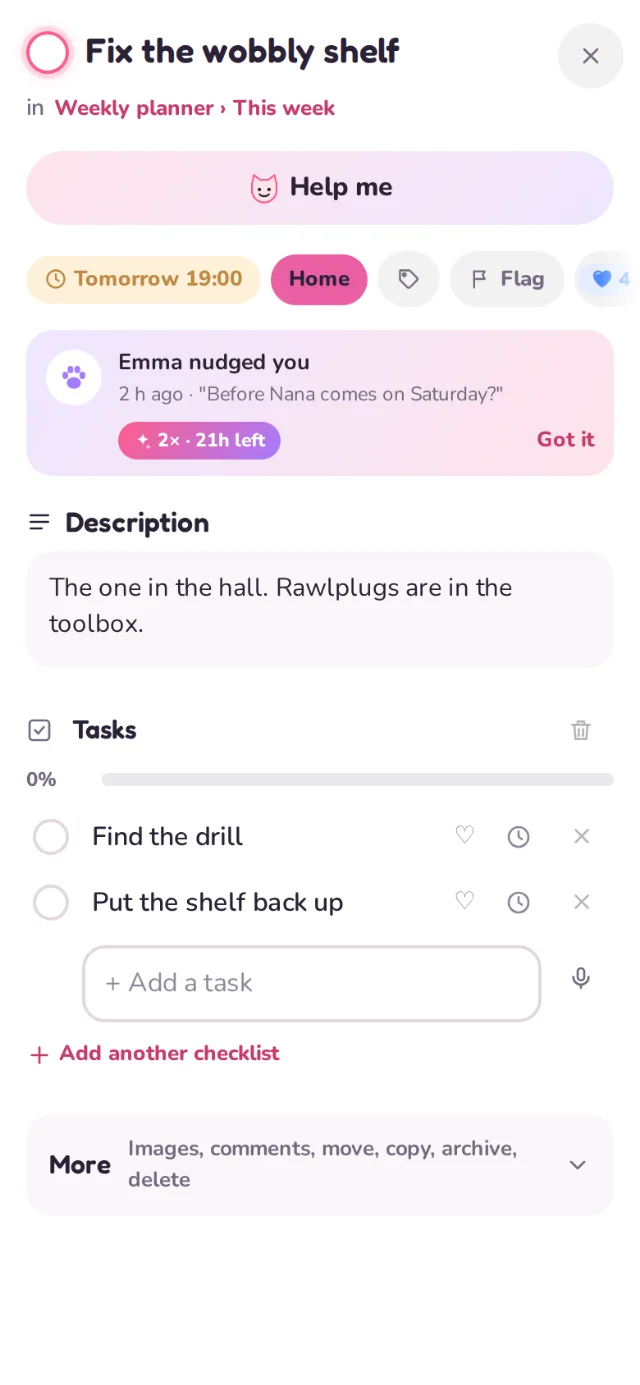
Share boards with your partner so you both see what's left. When something needs doing, tap the paw to nudge them. The nudge glows on their home screen and the card until it's done.
Choose who can see each board, and whether they can edit
Cat heads on a board show who is on it
Live updates: tick it on your phone and it ticks on theirs
Double hearts
Double hearts: a little gift for each other
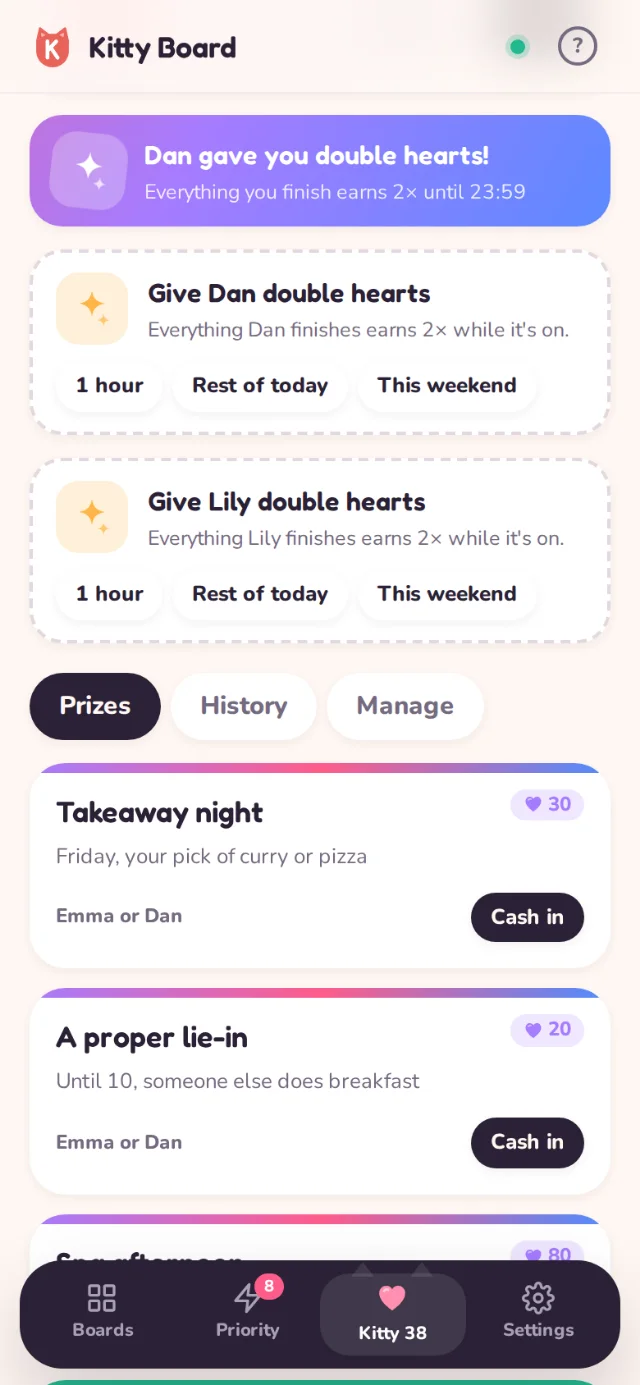
Switch on double hearts for your partner for an hour, the rest of today or the weekend, and every job they finish is worth twice as much. You can't double your own, which is rather the point.
A nudge can carry double hearts too, for the job that really matters
Doubles never stack, so the kitty stays fair
Children and approvals
Kids join in, you say OK
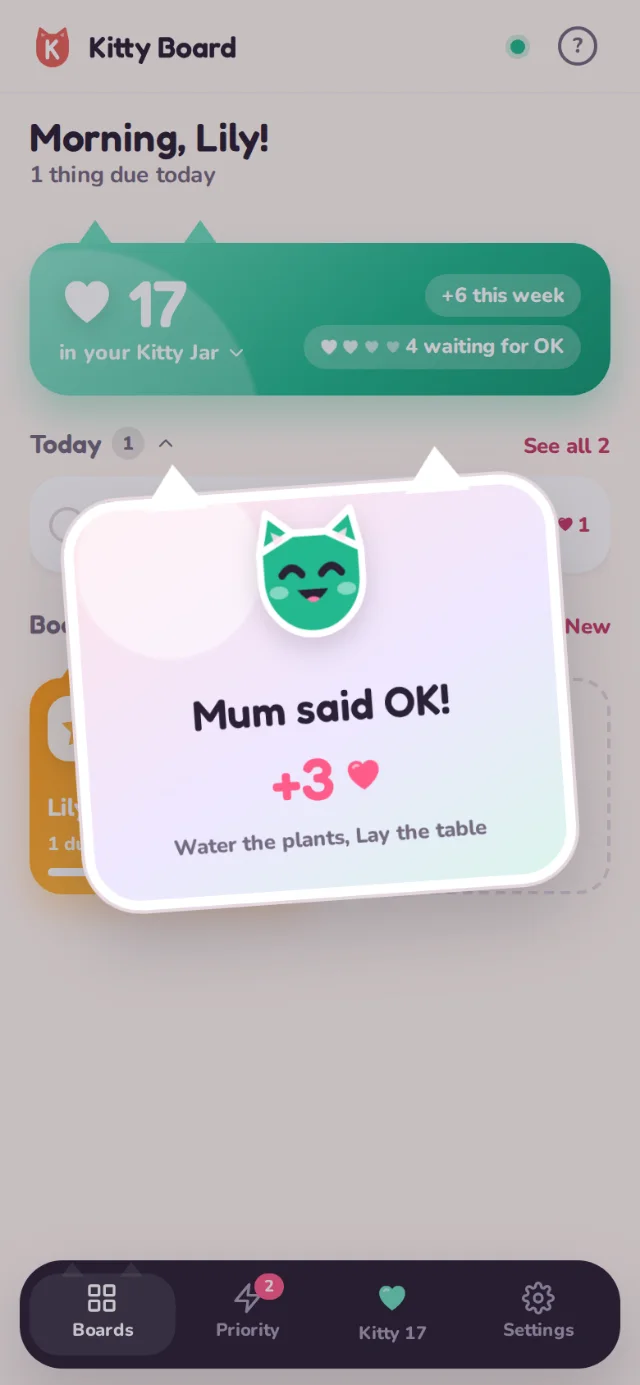
Children get their own simple view with big ticks, their own Kitty Jar and their own prizes. No email needed. When they tick a job, the hearts wait for a grown-up's OK, then their kitty fills with a little celebration.
OK or Not yet, right from your home screen
They can ask you for help with a job, and suggest prizes
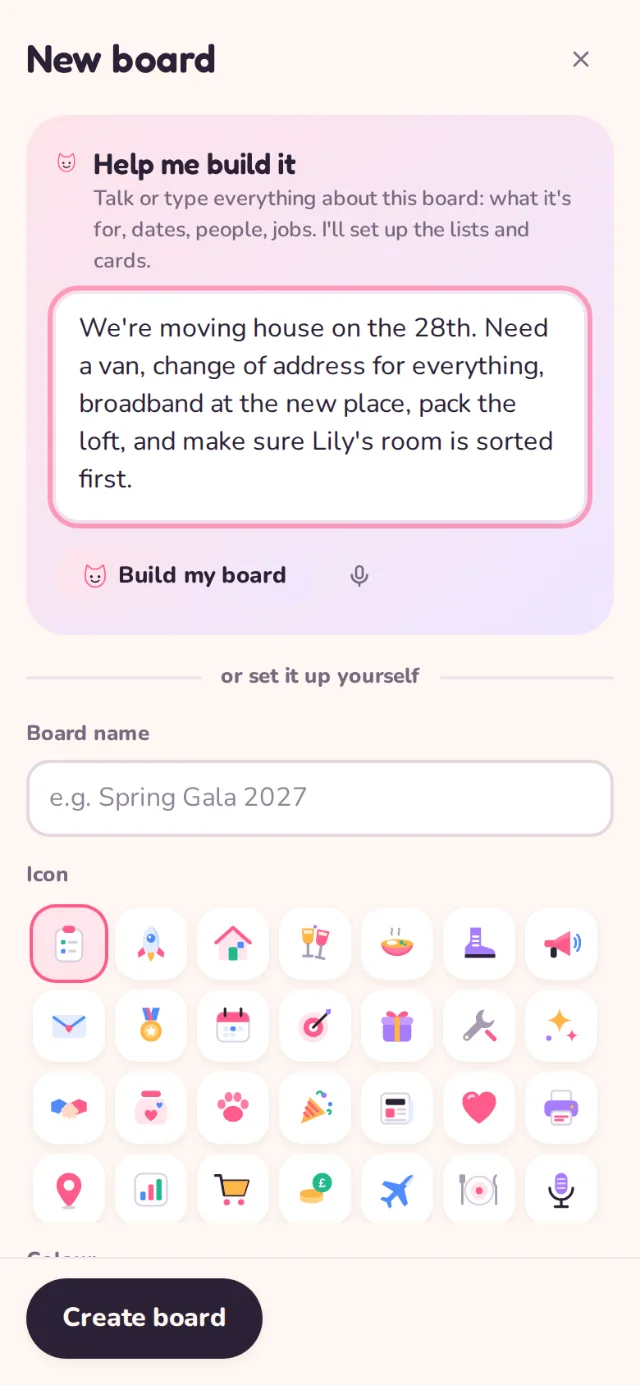
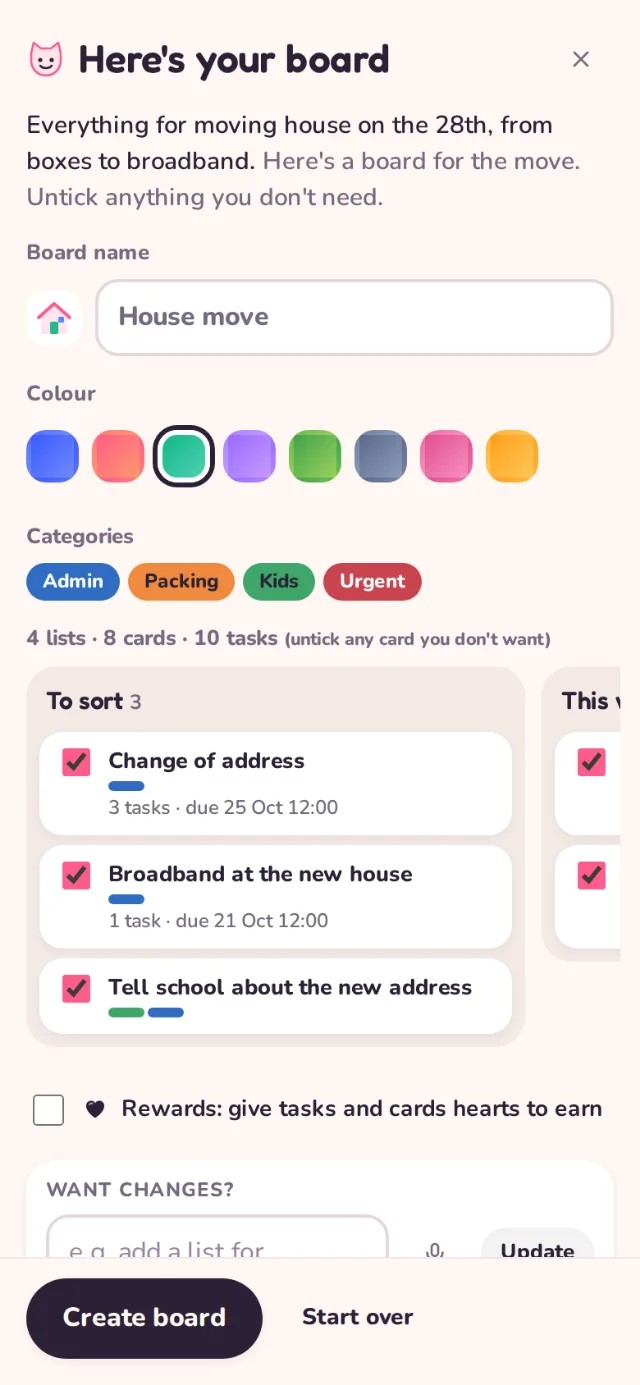
Talk or type everything about a new project, run-on sentences and all. Help me turns it into lists, cards, tasks and dates. Stuck on a card? Ask Help me and it suggests the next steps, which you tick to add.
Preview everything before it touches your boards
Works by voice on phones
Part of the Family plan, with a fair monthly allowance
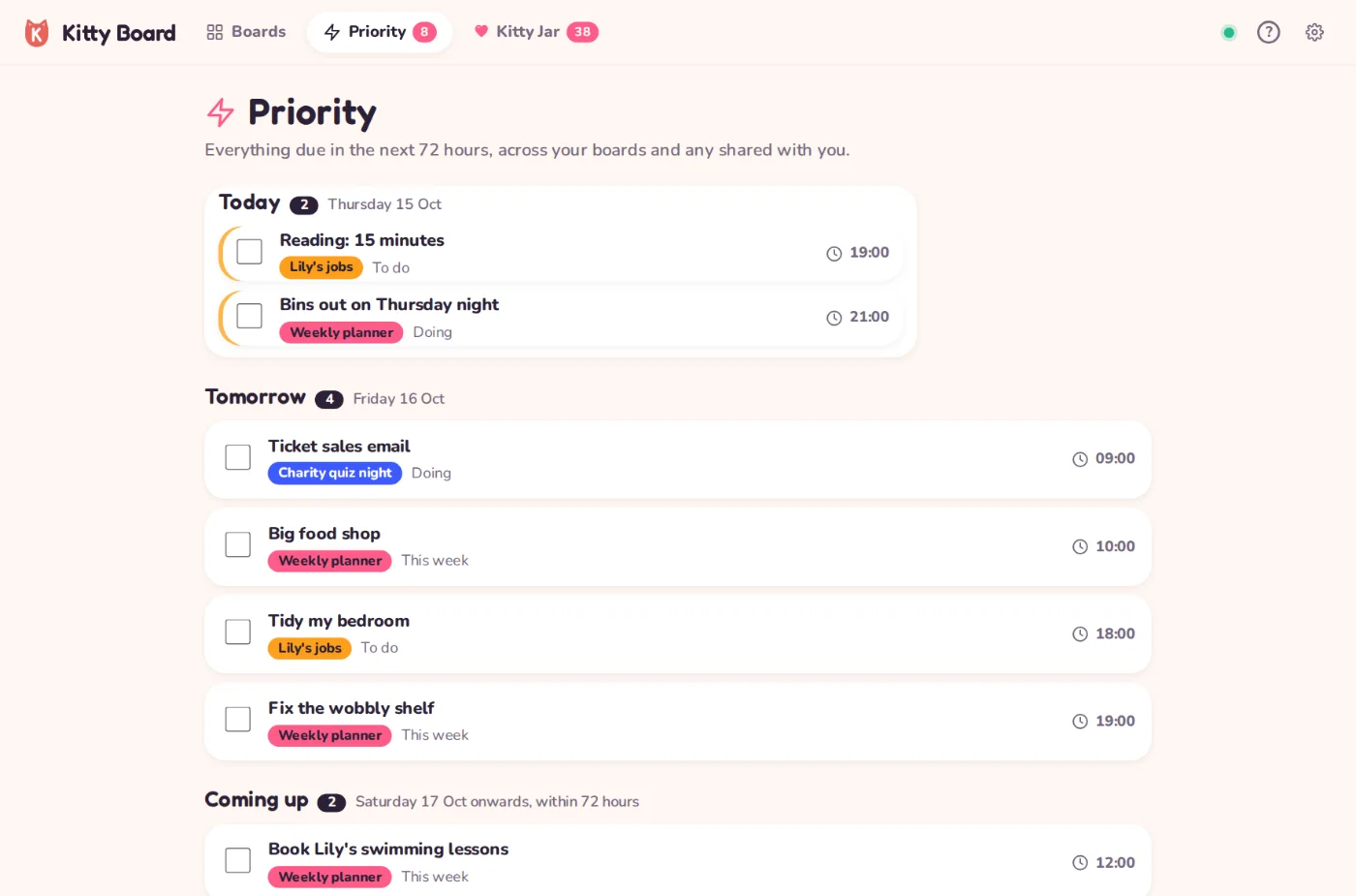
Priority
The next 72 hours, in one place
Priority gathers every card and task due today, tomorrow and the day after, from every board you can see. Overdue things go to the top. It is the list to check over your morning coffee.
Today on your home screen, Priority for the full picture
Tick things off straight from the list
Themes and cats
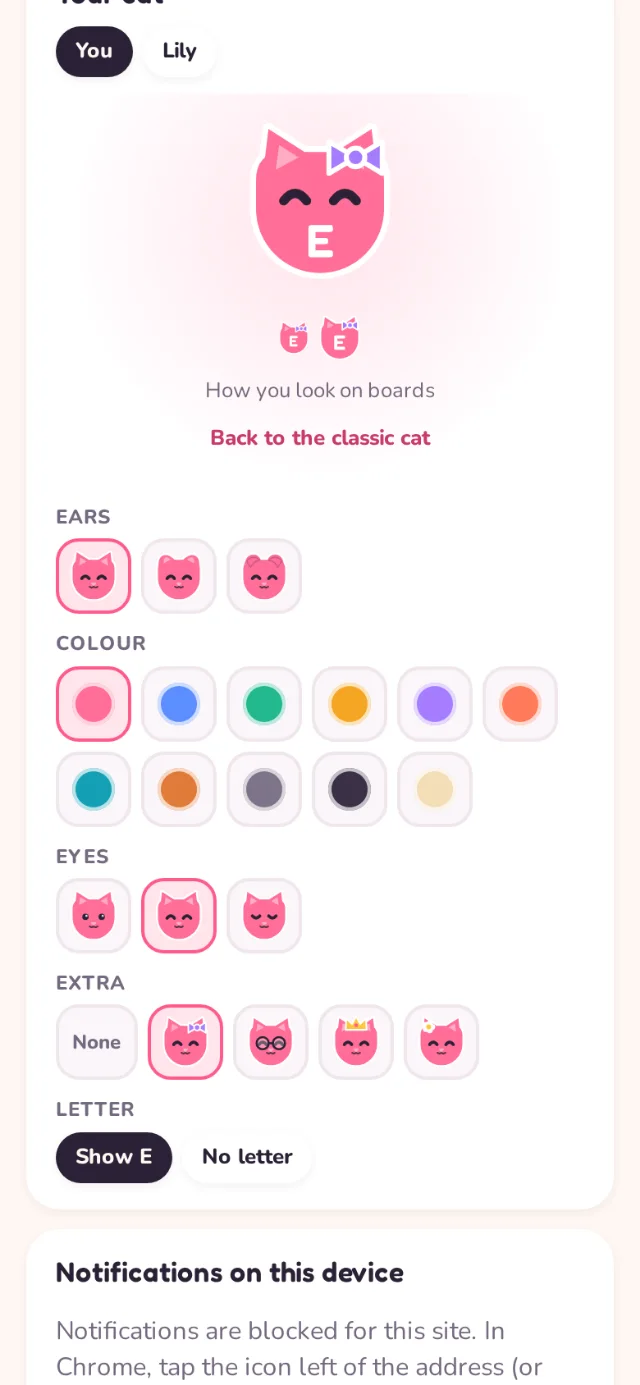
Make it yours: themes and a cat of your own
Design your cat: ears, colour, eyes and a little extra like a bow, glasses or a crown. Pick an app theme (Kitty, Lavender, Mint, Sunshine, Ocean or Midnight) and give boards soft gradients and patterns.
Cat designs are free for everyone
Extra themes and board patterns come with the Family plan
Light and dark, following your phone
Works everywhere
On every phone, tablet and laptop
Kitty Board runs in any browser and installs to your home screen like an app, with apps for iPhone and Android on the way. It keeps working offline and catches up when you are back online.
Live updates across phones in seconds
Install from the browser now; App Store and Google Play coming soon
Gentle reminders for what is due
Real lives, a little lighter
A few of the people we built Kitty Board for. (The names are made up; the Saturdays are real.)
Meet the Hawkins
Emma, Dan and Lily (8)
Emma runs the house and the school fair. She used to hold it all in her head. Now the Weekly planner is shared with Dan, Lily has her own jobs board, and the Kitty Jar sits on everyone's home screen. Dan does the bins without being asked twice; Lily makes her bed for hearts.
Friday is takeaway night, paid for from the family kitty.
Sam and Priya
Couple, first flat together
Sam is a list person; Priya isn't, until there are hearts involved. They share a Home board and a Wedding board, nudge each other with the paw, and Priya switches on double hearts for Sam on weekends he's doing the DIY.
Sixty hearts in the kitty: a lie-in and breakfast in bed.
Jade, events manager
Plans charity dinners and her own life
Jade talks through a new gala on the train and Help me turns it into a board: venue, sponsors, comms, run of show, with dates worked back from the night. At home, the same app runs her personal boards, and her kitty is saving up for a spa day.
The gala ran to time. The spa day is booked.
Mo and the house move
Dad of two, moving across town
Mo had three weeks and a list on the back of an envelope. Help me built a House move board in a minute. His two boys packed their own rooms for hearts, and asked for help with the heavy boxes from their own phones.
Moved in a weekend. The boys spent their kitty on the trampoline park.
Ruth, newly retired
Allotment, book club, grandchildren
Ruth keeps an Allotment board and a Grandchildren board she shares with her daughter. Priority tells her what's due in the next three days, and the grandchildren earn hearts for helping in the garden.
The runner beans went in on time. So did the sleepover.
Theo, aged 10
Has his own account (no email)
Theo's jobs board has feed the cat, homework and tidy room. He ticks them on his tablet, his mum says OK from work, and his Kitty Jar fills with a little shower of hearts. He suggested 'pick tea on Friday' as a prize. She said yes.
Pick the film: unlocked on Saturday.
What people say
Kitty Board is in preview, so these are sample quotes to show the idea. Real ones will replace them after launch.
Sample quote
“It's the first planner my partner actually opens. The hearts are silly and they completely work.”
Sample quote: a mum of two, LeedsSample quote
“My daughter asks what jobs she can do now. I did not think I would ever type that sentence.”
Sample quote: a dad, BristolSample quote
“I run events for a living and this is the board I use for my own life. Help me is scarily good at to-do lists.”
Sample quote: an events manager, London
Free to start. £3.99 a month for the whole family.
Start free with one family member and one rewards board. Upgrade to Family so every board fills the kitty, with Help me, your partner included and children free.
Family: £3.99 a month or £34.99 a year (two months free)
Children are always free on the Family plan
Friends you share a board with can view and tick for free
Kitty Board is for you, your family and the friends you share boards with.
Not a chore chart
Plans, projects and events too. Chores are just one board.
Not for teams
No seats, no admin panels. Share a board with a friend for free.
Not about points
Hearts fill a family kitty you spend on real treats, together.
No ads, ever
We never sell your data. Children's accounts have no email.
Ready for a home that runs a bit more smoothly?
Kitty Board is getting ready for launch on the web, the App Store and Google Play. Join the waitlist and we'll tell you the moment it opens. Want a peek first? The preview is open now.