Some jobs are never done for good. Make a card repeat and Kitty Board puts it back for you: the ticks clear by themselves when its time comes round, and it can earn its hearts again.
Make a job repeat
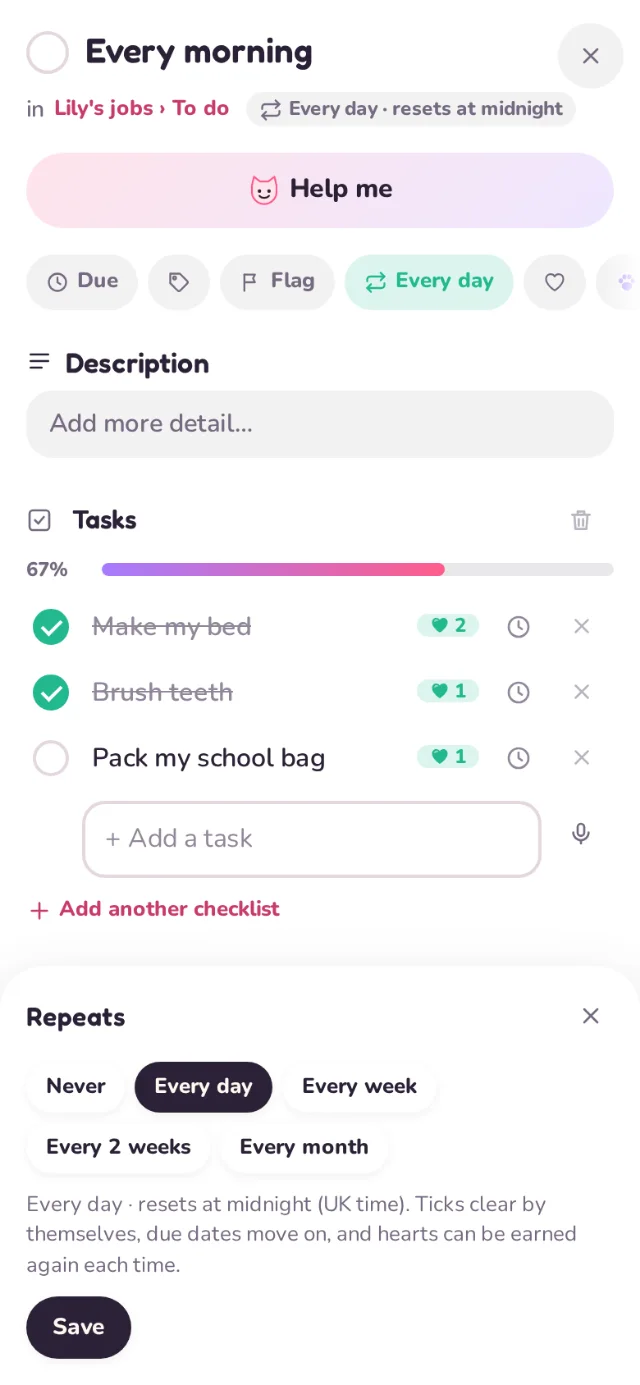
- Open the card and tap Repeats.
- Choose Every day, Every week, Every 2 weeks or Every month. For a week or 2 weeks, pick the day it starts again (Monday unless you choose another).
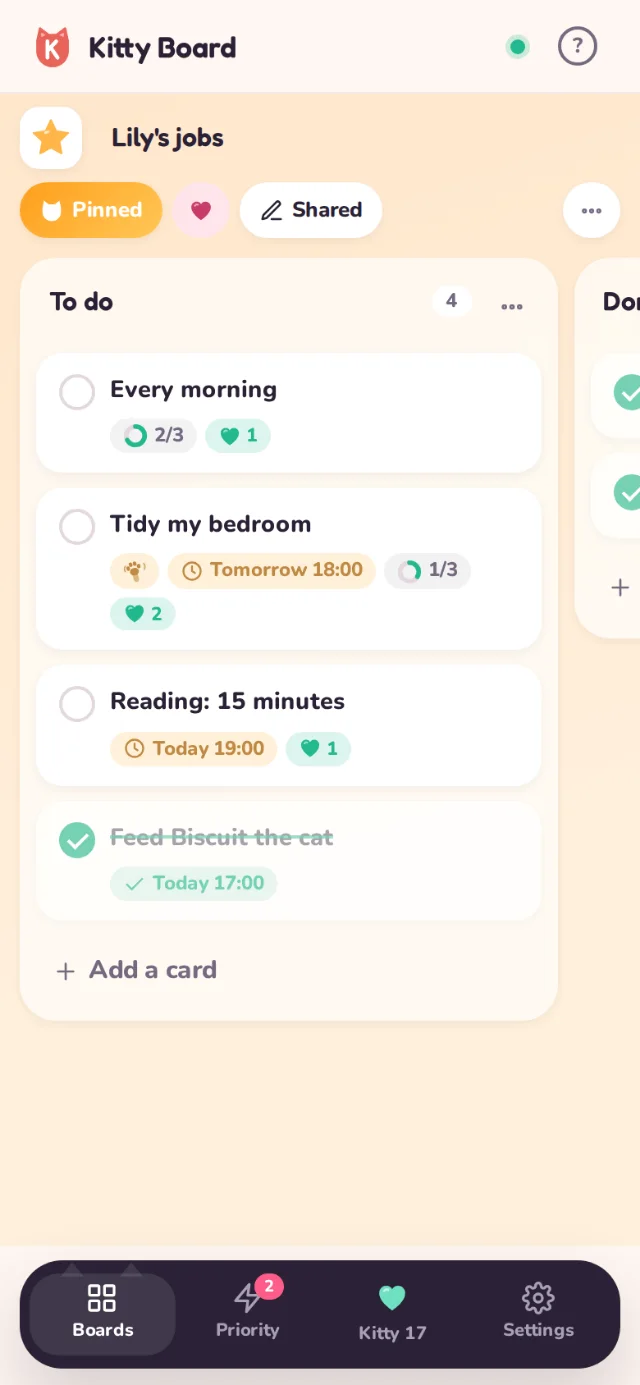
- Tap Save. The card now shows how often it repeats, such as "Every day · resets at midnight".
When it starts again
- Every day: just after midnight.
- Every week and every 2 weeks: just after midnight at the start of the day you chose.
- Every month: just after midnight on the 1st.
Times are UK time. When it starts again, the card and its tasks are unticked, and any due date moves on to the new day, week or month. Done or not, the job is ready to do again.
Repeats is for the whole card. A card with three tasks, like Every morning (make my bed, brush teeth, pack my school bag), repeats all three together.
Hearts, again and again
- A repeating job with hearts earns them every time it comes round: once each day, week or month.
- Every time is kept: each one gets its own line in the Kitty Jar History, and nothing is taken back when the ticks clear.
- A child's ticks still wait for a grown-up's OK. Hearts still waiting from last time stay waiting, so you can say OK later.
- Children see how many days (or weeks) in a row they've done it, right on the card.
Cheers on repeating jobs
A repeating job can be cheered afresh each day, week or month. When it resets, last time's cheers stop showing until someone cheers the new one.
Stop it repeating
Open the card, tap Repeats and choose Never. Everything it earned stays in the Kitty Jar.