Help me is Kitty Board's AI helper. It's part of the Family plan, for grown-ups, with a fair monthly allowance.
Help me build it
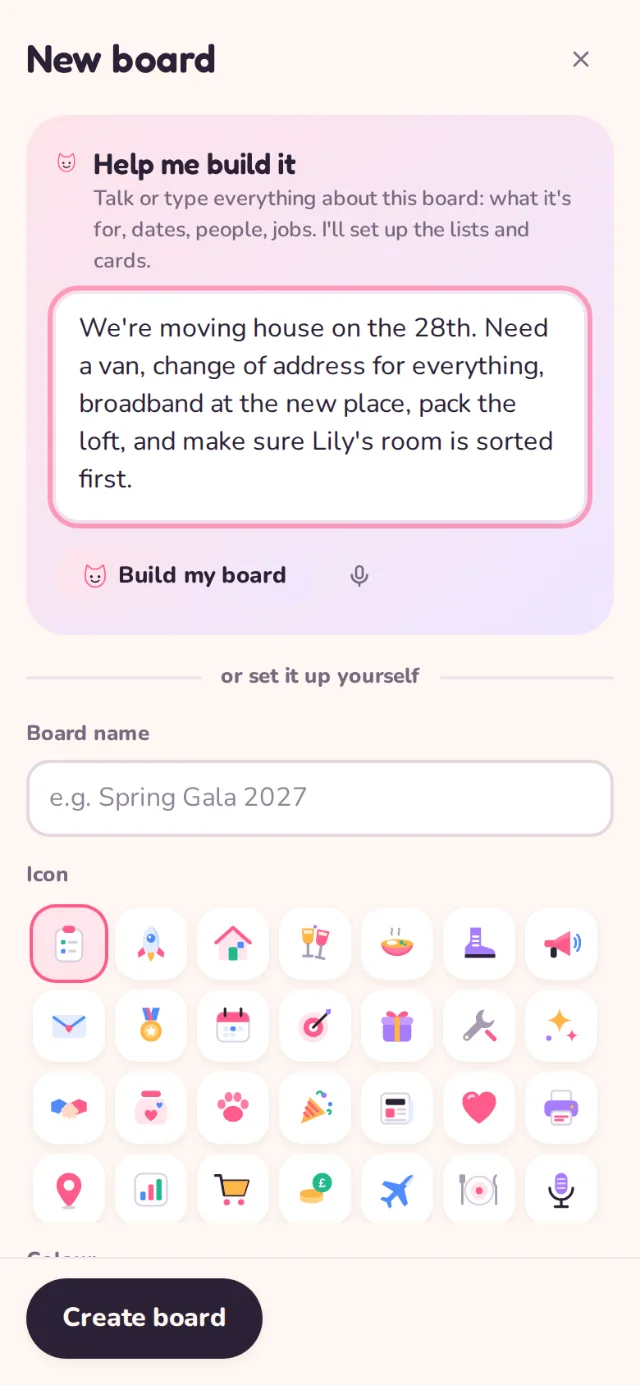
- Tap New board. At the top is Help me build it.
- Type or speak everything about the project: what it is, dates, people, the jobs you can think of. Run-on sentences are fine.
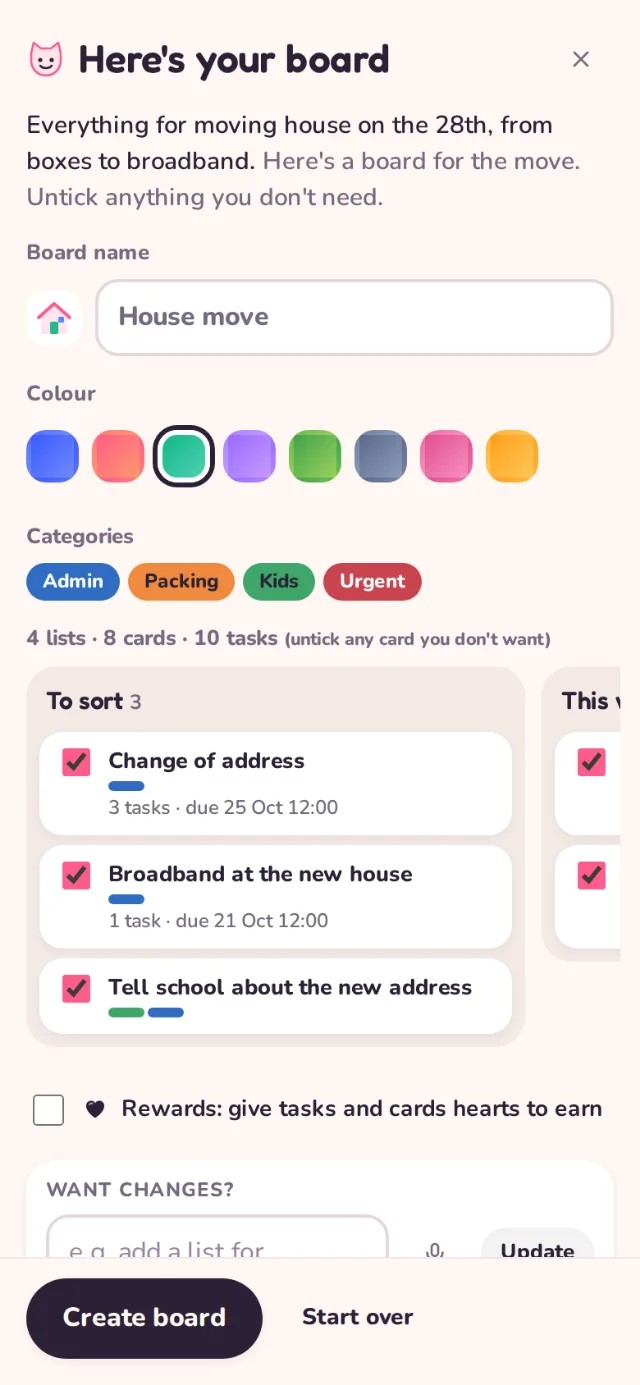
- Tap Build my board. In 15 to 40 seconds you get a preview: lists, categories and cards with tasks and dates.
- Untick any cards you don't want, or ask for changes ("add a list for the garden"). Then Create board.
Help me on a card
Open any card and tap Help me. Ask anything: "what else do I need before Saturday?", "write this as an email", "break this down". It can suggest tasks, dates, categories, a description and new cards.
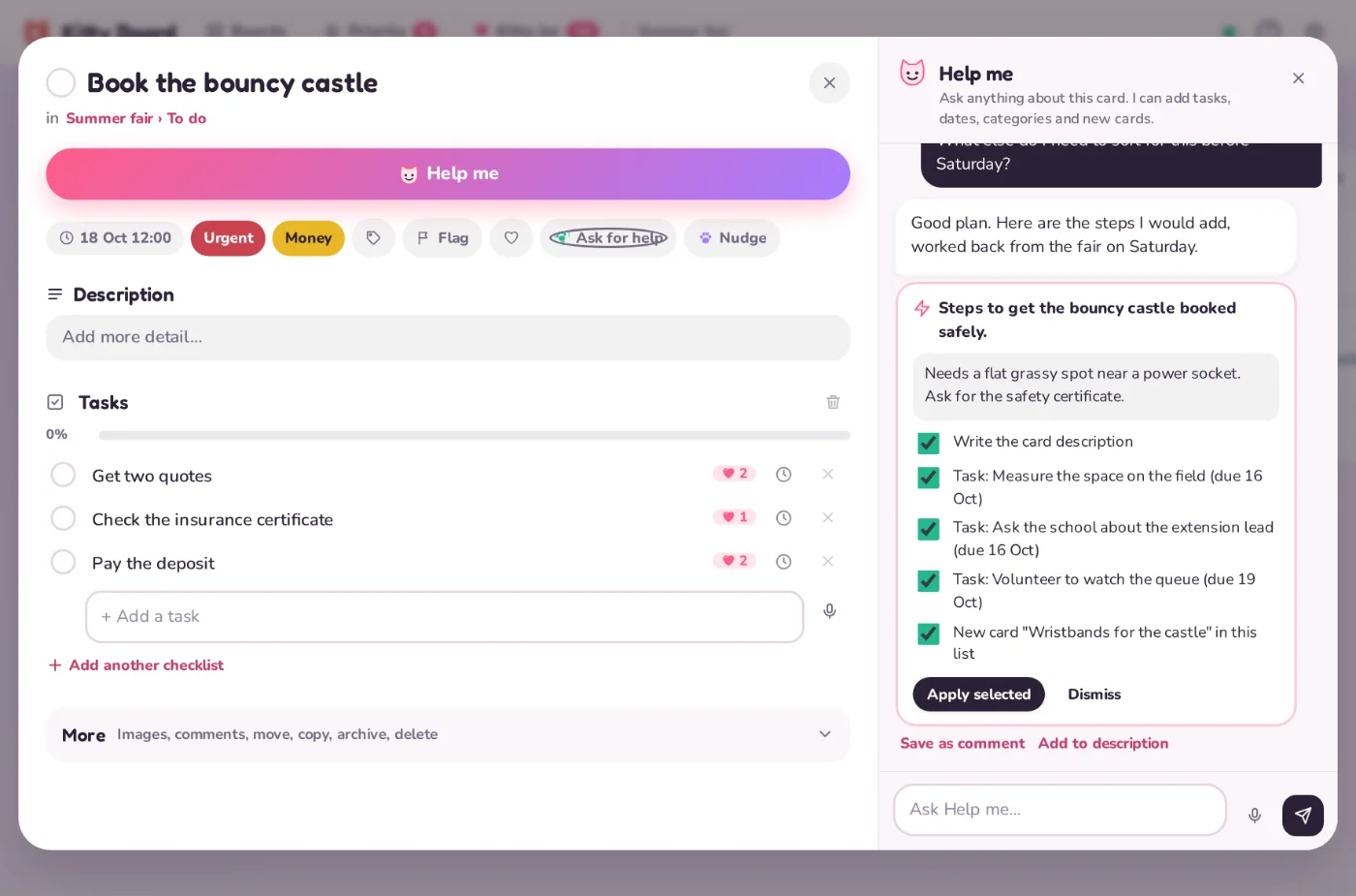
Nothing changes until you choose: tick the suggestions you want and tap apply.
Good to know
- When you use Help me, the card or brain dump you ask about is sent to Claude, from Anthropic, to write the answer. See privacy.
- Help me can be wrong. Check dates and details before relying on them.
- Children can't use Help me.