Kitty Board works best shared: the weekly planner, the house project, the holiday. Each board belongs to whoever made it, and they choose who else can see it.
Invite your partner
- Open Settings, then Family and friends.
- Tap Invite your partner. You get a code and a link that work once.
- Send them the link (or read out the code). They sign up or sign in, and they're in your family.
Your partner is included on the Family plan. To share with a friend instead, tap Invite a friend: friends can see and tick boards you share with them, for free, but never your family kitty or prizes.
Share a board
- Open the board and tap its ⋯ menu.
- Under sharing, choose each person: Edit, View or not shared.
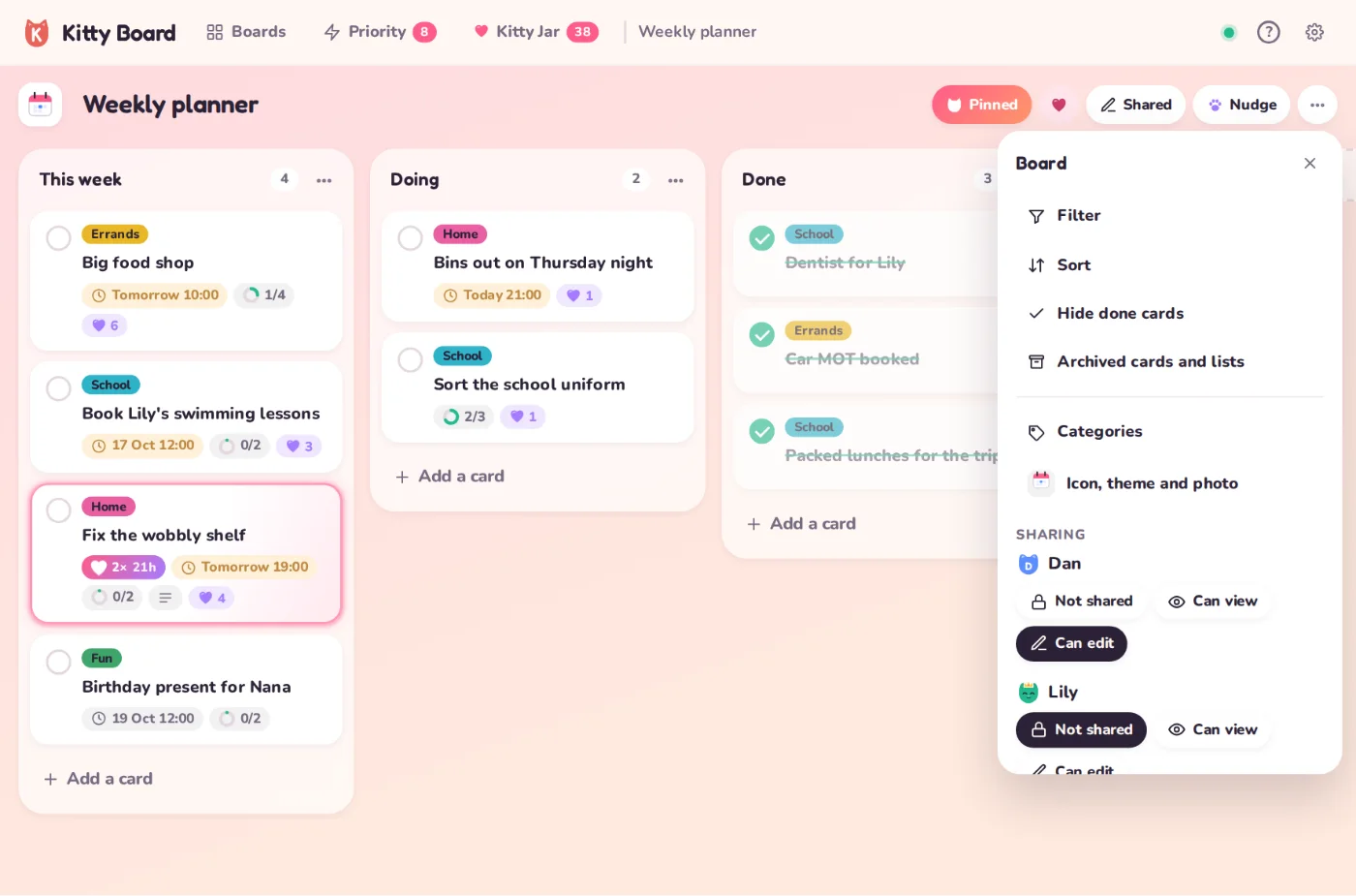
The cat heads on a board show who's on it. Everything updates live: tick a job on your phone and it ticks on theirs in seconds.
Pins are personal. Your partner pinning a shared board doesn’t move it on your home screen.