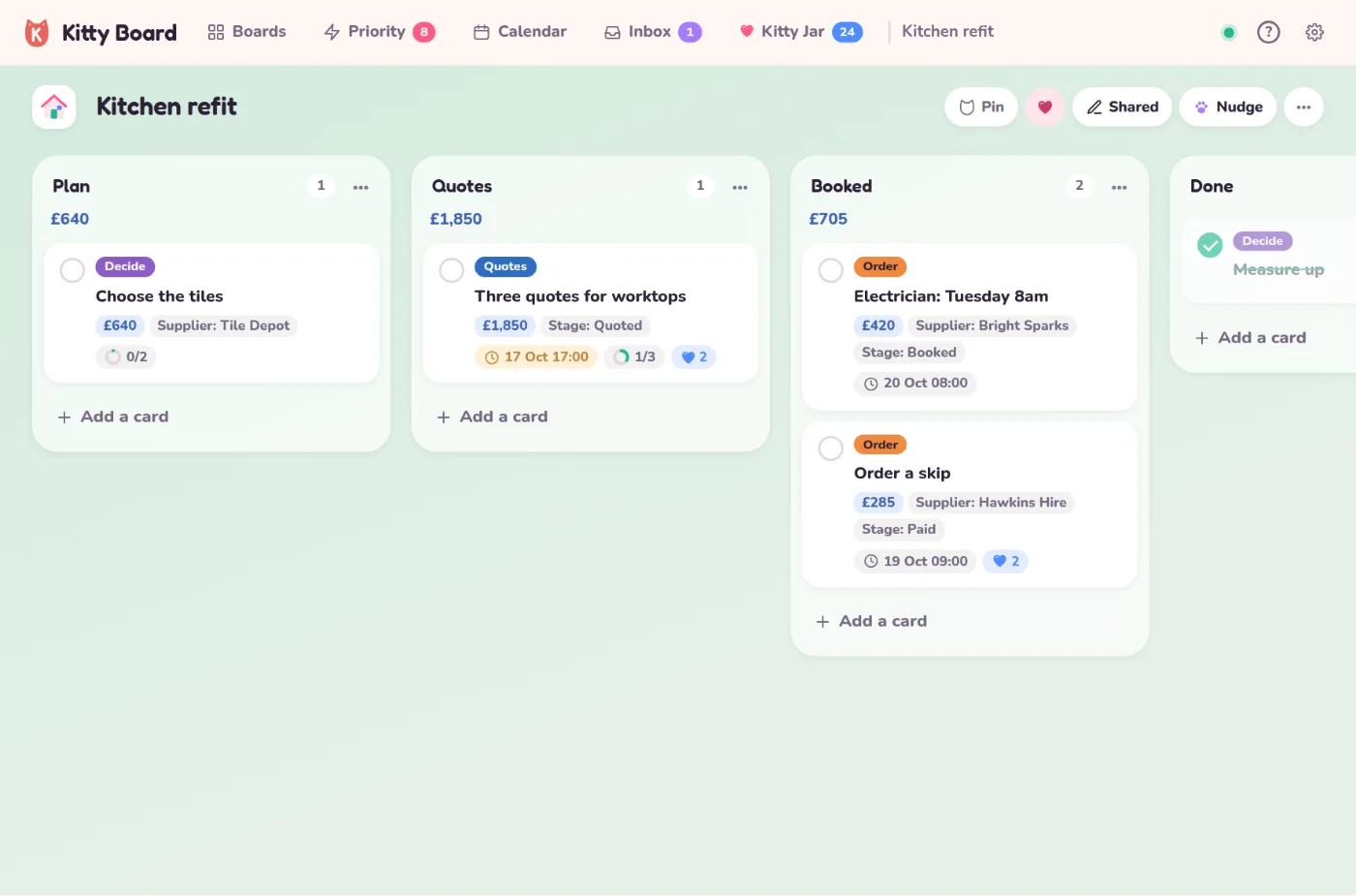
Some boards need more than a title and a due date. A kitchen refit has costs and suppliers; a wedding has bookings and deposits; a holiday has references. Card details add the same few things to every card on a board, and add up the money for you.
Add details to a board
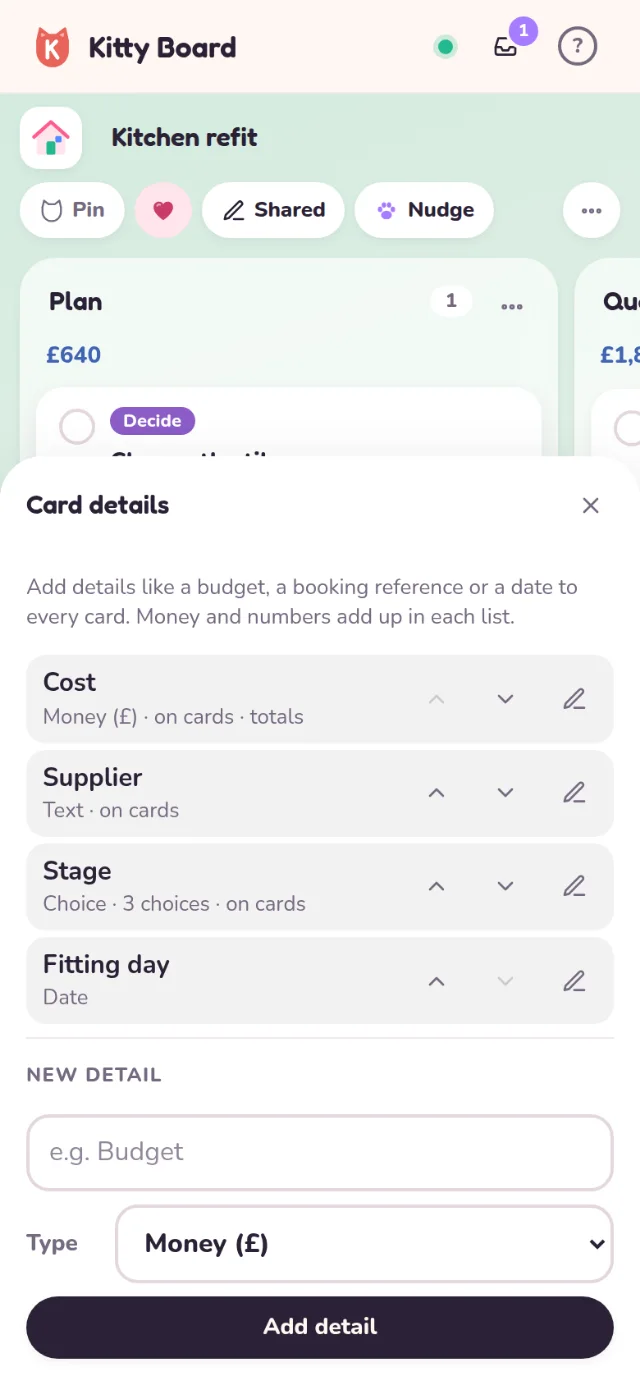
- Open the board, tap ⋯, then Card details.
- Under New detail, type a name (say Cost) and choose a type.
- Tap Add detail. Every card on the board now has it.
The five types:
- Money (£)
- A cost, a budget or a deposit. Adds up under each list.
- Number
- Anything you count: guests, hours, miles. Adds up too.
- Text
- A supplier, a booking reference, a phone number.
- Date
- A fitting day or a deposit deadline, separate from the card's due date.
- Choice
- A short list to pick from, such as Quoted, Booked, Paid.
Fill them in
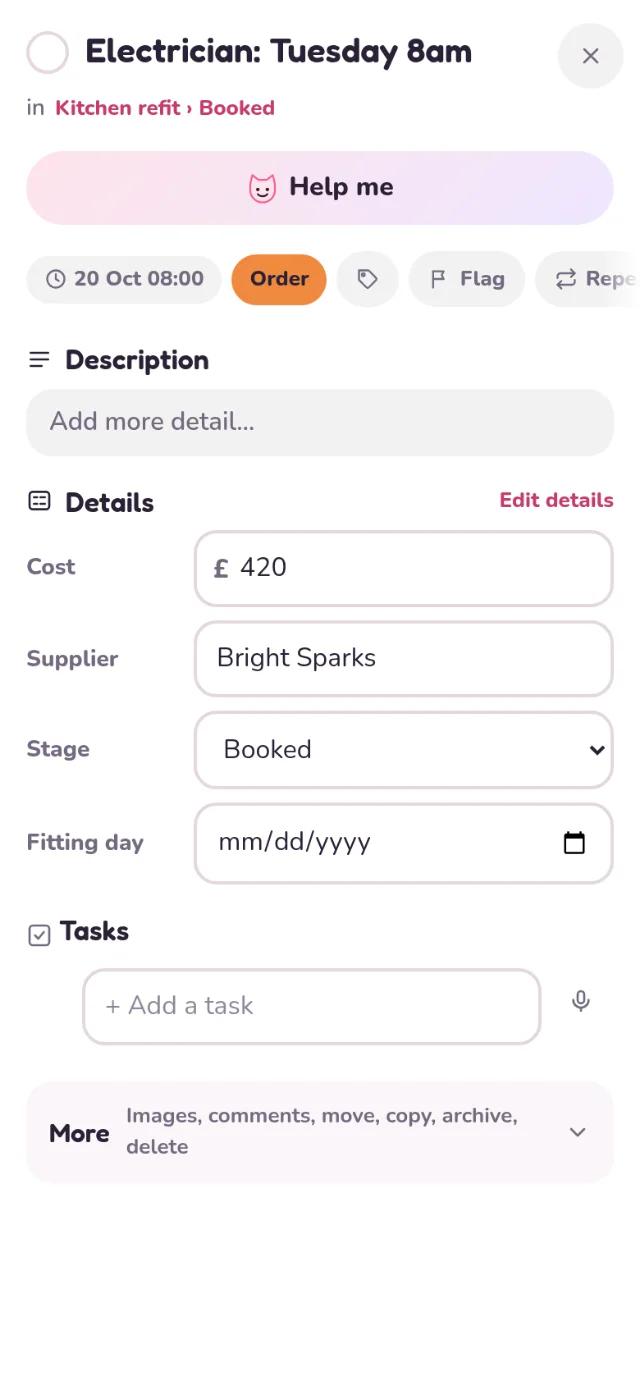
Open a card and fill in its Details. Leave any of them empty. On the board, each card shows its details as small chips; to keep one off the card face (a long reference, say), tap the pencil next to it in Card details and untick Show on cards.
Totals under each list
Money and numbers add up under each list's name, so you can see what's planned, quoted and booked at a glance. Filter the board and the totals count only the cards you can see. Don't want a number totalled? Untick Total in each list in its pencil.
Change the order of details with the arrows, rename them, or change a choice list at any time. Renaming a choice keeps it on the cards that already picked it.
Good to know
- A board can have up to 10 card details.
- Anyone who can edit the board can fill them in, children included. Only grown-ups can add, rename or remove details. On a board someone can only look at, they see what's filled in but can't change it.
- Trello custom fields, and Sum Up numbers, come over as card details when you import a Trello board.
- Exporting a board as a spreadsheet keeps a column for each detail. See exporting a board.
On the free plan
Adding card details is part of the Family plan. Details a board already has always stay: from your Family days, or brought in from Trello. You can still fill them in, rename, reorder or delete them, and the totals keep adding up. Only Add detail shows a small lock. More in Plans and upgrading.